

The Glass Paradox in Modern Digital Art
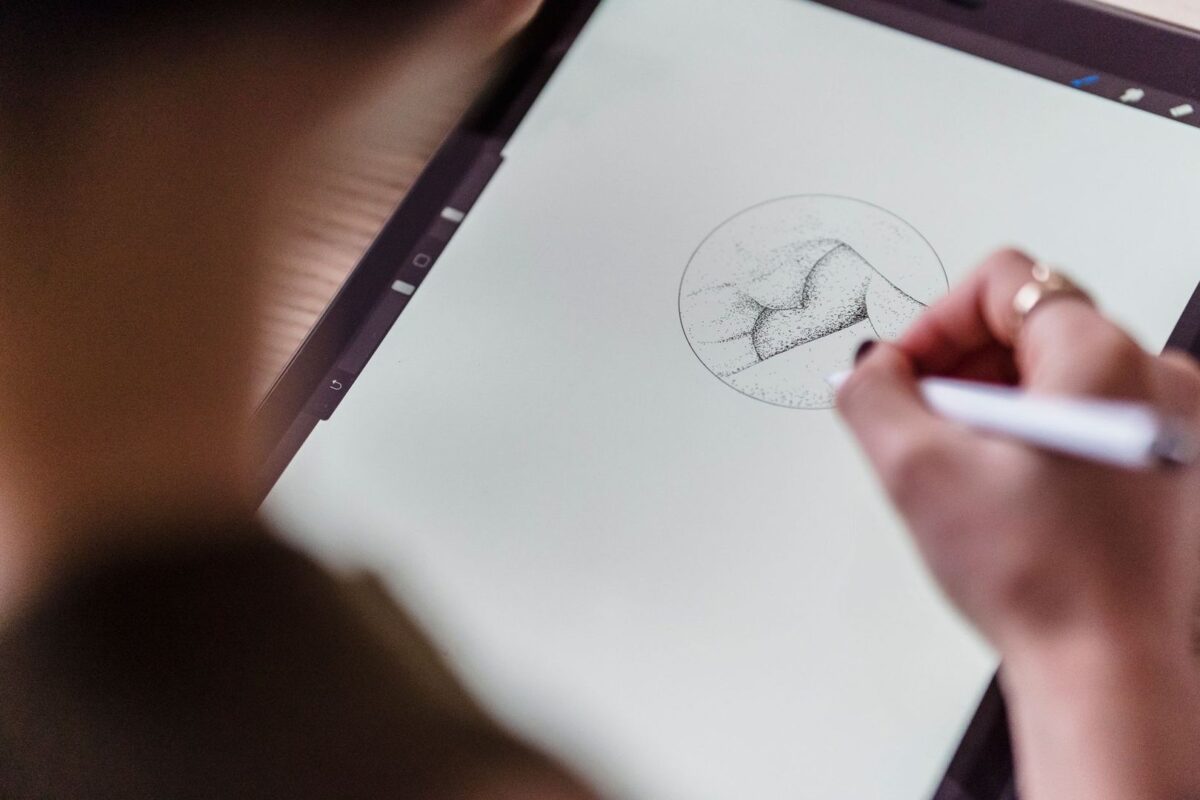
Professional illustrators, concept artists, calligraphers, and designers have moved decisively toward tablets because the advantages are difficult to ignore. A single portable device can hold reference images, layered files, brushes, animation tools, colour libraries, and an effectively unlimited undo history. Work can move from sketch to client review without scanning, drying time, or a crowded physical desk. Yet the same glass surface that makes digital creation clean and efficient can remove an important source of information from the hand.
On paper, board, or canvas, the drawing tool encounters resistance. That resistance is not merely a nuisance. It gives the hand continuous physical information about speed, pressure, direction, and contact. Glass offers comparatively little of it. The stylus may be highly sensitive, but the surface remains slick, so the artist must often monitor the line visually and consciously correct movement that was previously guided by touch. Infinite undo can intensify the problem by making each stroke feel provisional rather than physically committed.
This is the haptic disconnect: the separation between the movement the body performs and the tactile feedback it expects. It can appear as drifting curves, hesitant lettering, excessive pressure, or fatigue after a session that feels mechanically easy. The solution is not to reject digital tools, but to restore useful resistance through carefully selected surface films, stylus modifications, software calibration, drafting angles, and hybrid production habits.
The Biomechanics of Drawing and Motor Feedback
Traditional drawing surfaces are microscopically uneven. Paper fibres, tooth in drawing board, and the texture of a canvas generate tiny changes in friction as the nib moves. These changes create micro-vibrations that travel through the stylus and fingers. The signals are subtle, but they help the nervous system estimate whether the tool is accelerating, slipping, catching, or changing direction. In practical terms, texture acts as a quiet guidance system for fine motor control.
Chemically strengthened tablet glass is designed for durability and optical clarity, not for the resistance associated with a drawing surface. A low-friction contact point can therefore make a familiar gesture feel less stable. The visual system has to compensate for information that the hand is no longer receiving with equal clarity. This matters particularly in small lettering, long confident curves, cross-hatching, and pressure-sensitive shading, where tiny changes in speed and angle affect the result.
There is also a cognitive cost. When tactile information is weak, artists may consciously watch the nib, slow down, or repeat strokes. A grip that was once relaxed can become tighter because the fingers are trying to prevent the stylus from sliding. That over-gripping recruits muscles unnecessarily and can produce premature fatigue in the hand, wrist, and forearm. Research into somatic feedback and manual precision provides useful background for understanding these loops; research into embodied cognition and sensorimotor learning in digital art education examines how physical engagement and perceptual feedback underpin skill acquisition and control in technology-mediated creative environments.
Somatic attention also changes how bodily signals are perceived. Recent work in human neuroscience suggests that when sensory input is weak or ambiguous, attention and prediction can influence the sensations a person experiences. That does not mean discomfort or instability is imaginary. It means the drawing setup is interpreted through an active feedback system. A smoother surface, a different nib, or a changed forearm angle can alter both the actual mechanical input and the way the artist anticipates movement.
- Friction helps regulate speed and gives the fingers information about contact.
- Pressure feedback supports controlled variation in line weight.
- Visual monitoring remains important, but it becomes tiring when it must replace tactile guidance.
- Grip force often rises when the stylus feels unpredictable, increasing hand fatigue.
Evaluating Physical Interventions from Textured Films to Custom Nibs
The most accessible mechanical intervention is a matte, micro-textured screen protector. Products such as Paperlike and PaperTech use a surface treatment intended to increase drag between the stylus and display. The effect is not identical to paper, because the texture is a thin engineered film rather than a fibrous sheet, but it can make starts, stops, and directional changes more predictable. Artists who want to reduce slickness frequently pair customized nibs with tactile screen films to recreate a more controlled drawing contact.
PaperTech describes its protector as a paper-textured option for compatible iPad models from 2022 through 2025. Its matte treatment is intended to reduce glare and fingerprints while preserving light and colour transmission for indoor and outdoor use. Paperlike similarly positions its protector around increased resistance, Apple Pencil precision, screen clarity, and scratch and smudge protection. These claims should be treated as design goals rather than guarantees. The perceived result depends on the stylus material, the artist”s pressure habits, the display model, and the type of mark being made.
| Intervention | Mechanical benefit | Primary trade-off |
|---|---|---|
| Matte textured film | More consistent drag and reduced glare | Possible reduction in perceived sharpness or colour brilliance |
| Elastomer nib | Soft contact and increased friction | Faster wear and a less crisp response |
| Felt nib | Paper-like drag with relatively gentle contact | Can wear unevenly and may feel too soft for precise technical work |
| Brass or metal nib | Durable, firm contact and clear directional response | Greater risk of scratching without a suitable protector |
| Unmodified hard nib | Maximum visual clarity and low replacement cost | Least tactile resistance on bare glass |
Nib selection should be considered alongside the film rather than separately. Elastomer and felt nibs can add drag without making the entire display matte, which may suit artists who need colour-critical viewing. They also compress and wear, so the response can change over time. A soft nib that feels excellent during the first week may become polished or uneven after heavy use. Brass and other firm nibs tend to offer a more stable contact profile, but they demand caution because hard materials can mark an unprotected display and may produce an unpleasantly sharp sensation on a highly textured film.
Installation is another practical variable. Dust trapped under a film can create a visible blemish and a local change in drawing resistance. Poor alignment may interfere with edges, cases, or accessory attachment. Matte surfaces can introduce haze, sparkle, or a slight diffusion of fine detail, particularly when viewed against bright backgrounds. Before making a decision, consider whether the priority is line control, glare reduction, colour fidelity, or long-term durability. There is no universal best texture, only a better match for a particular working method.
Bridging Media in the Evolution of Studio Workflows
A tactile problem does not always need a tactile accessory. It may indicate that the tablet is being asked to replace too many stages of the creative process. Digital objects now form part of serious institutional and cultural archives, where questions of format, material history, preservation, and context remain important. The Victoria and Albert Museum”s account of its digital collecting history shows how physical and digital practices increasingly exist in dialogue rather than as opposing categories. Its history of collecting digital objects illustrates why the medium of production still affects how creative work is understood and preserved.
For many concept artists, a physical underdrawing remains valuable even when the final image is digital. A graphite block-in or ink gesture can establish proportion, rhythm, and expressive pressure before scanning. Digital finishing then adds speed, revisions, colour control, and compositing. The physical stage is not a nostalgic detour. It can reduce the need to force every exploratory decision through a slippery interface.
Hybrid pipelines can be tailored to the project. An artist might produce loose forms on paper, scan them, clean the linework digitally, and finish with raster painting. Another might combine ink linework with risograph textures, then use the tablet for masking, colour separation, and corrections. Calligraphers may create a library of hand-made strokes before assembling lettering digitally. These methods preserve physical variation while keeping the efficiency of editable files.
The smarter way to approach this is to treat the tablet as a specialised finishing environment rather than an all-in-one studio replacement. Digital tools are especially strong at duplication, transformation, colour management, file delivery, and reversible experimentation. Paper and board remain useful for gesture, resistance, spontaneous pressure changes, and visual thinking away from the screen. Assigning each medium the tasks it handles best can improve both precision and creative energy.
Practical Adjustments to Recalibrate Your Somatic Setup
Software calibration should come before expensive hardware changes. Begin with the pressure curve in the drawing application. If the default setting requires too much force, reduce the initial pressure threshold so a relaxed touch produces a mark. If lines become heavy too quickly, flatten the curve and test a longer range of pressure. The target is not maximum sensitivity. It is a response that resembles the natural weight used with the artist”s preferred physical tool.
Stroke smoothing can also compensate for small slips caused by low surface resistance. Used carefully, smoothing filters minor tremors and creates more stable curves. Used excessively, it delays the stroke, rounds off character, and can make lettering feel disconnected from the hand. Drafting stands deserve equal attention. A modest change in forearm angle can transfer more movement into the arm and shoulder, reducing dependence on small, tense finger motions.
- Establish a baseline. Draw slow lines, fast lines, circles, diagonals, and pressure ramps on the unmodified setup. Save the sample so later changes can be judged rather than remembered.
- Adjust pressure. Change the pressure curve in small increments, testing both light construction marks and heavy accents after each adjustment.
- Set smoothing deliberately. Increase it only until drifting curves become manageable. Stop before the software begins to feel delayed or overly corrective.
- Change one mechanical variable. Add a film or change the nib, but not both at once. Test the same drawing exercises for at least several sessions.
- Review fatigue and confidence. Compare grip force, hand tension, line consistency, and visual clarity. Keep the setup that improves control without creating new discomfort or unacceptable display haze.
Calibration should be repeated after a new nib has worn in, after installing a different film, or after changing the drawing stand. The hand adapts quickly, which can make an imperfect setup feel normal. Short, repeatable tests reveal whether an intervention is genuinely helping or merely producing a novel sensation.
Building a Sustainable Tactile Ecosystem for Digital Creation
Better digital drawing rarely comes from one dramatic upgrade. It comes from matching mechanical resistance, software behaviour, posture, and workflow to the demands of the work. A textured film can stabilise contact, a suitable nib can refine the feel, and a pressure curve can prevent unnecessary gripping. A physical sketchbook or analogue underdrawing can restore the broader bodily engagement that no screen coating can fully reproduce.
- Choose the minimum texture that improves control while preserving acceptable optical clarity.
- Test nib materials for both immediate feel and long-term wear.
- Adjust pressure and smoothing before assuming the hardware is at fault.
- Use a drafting angle that supports relaxed arm movement.
- Keep physical and digital stages where each medium provides the strongest feedback.
Pure frictionlessness is efficient, but efficiency is not the same as expressive control. A small amount of resistance can make a stroke more intentional, reduce compensatory tension, and reconnect visual decisions with bodily movement. The goal is not to imitate paper perfectly. It is to build a tactile ecosystem in which the tablet”s versatility supports, rather than erases, the precision and memory developed through physical making.